Bitumio > Left Navigation Bar > Jobs1. Follow the above-mentioned workflow to land on the Jobs screen.
2. Click the ID for the job you want to view costs and work orders for. Doing so takes you to the Update Job screen.

3. Here, the Job Costs are displayed in the Job Cost Summary grid. Information is tabulated via various columns that include Phase, Total, Expense, Profit, and Profit Margin.

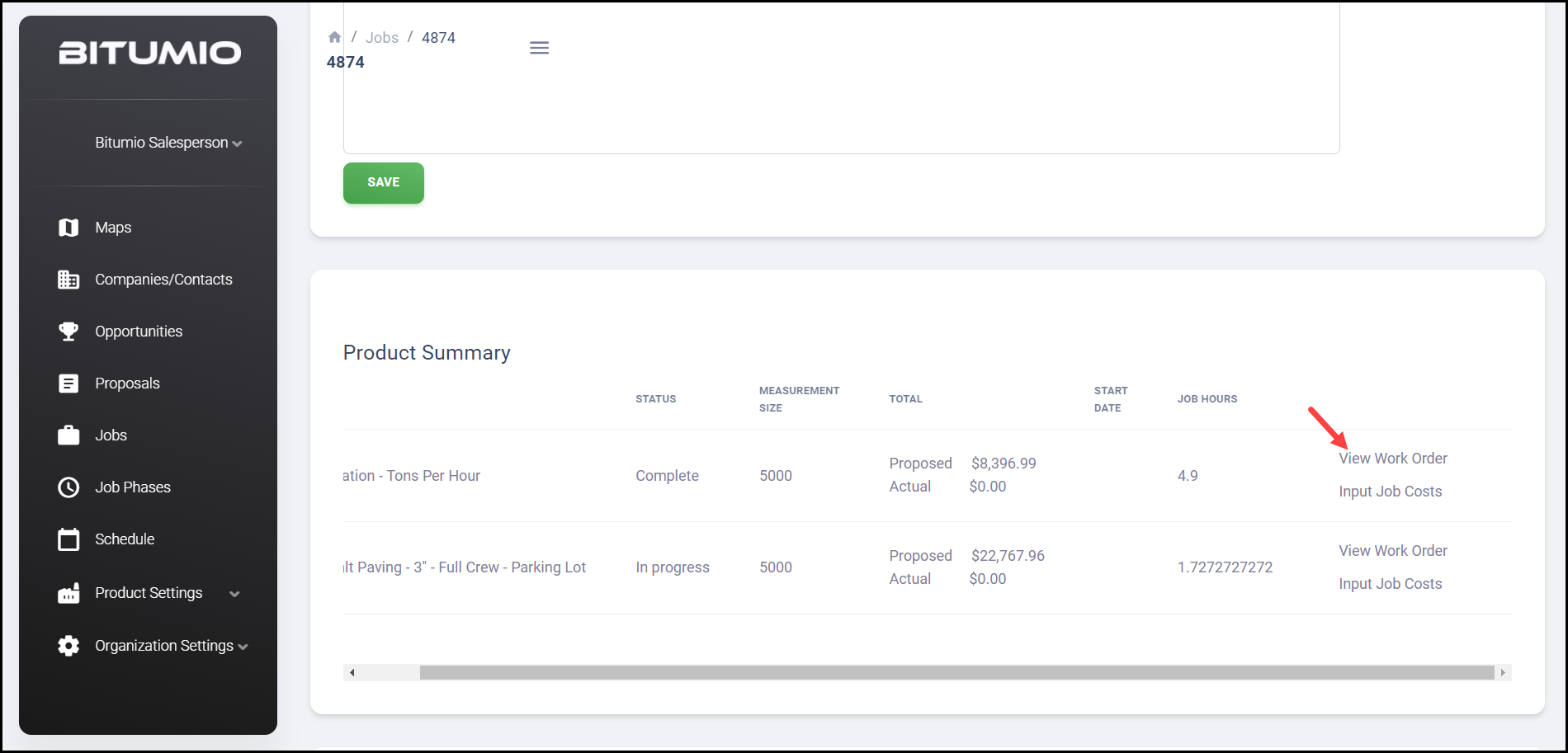
4. To view work order, navigate to the Product Summary grid.
5. Click View Work Order. This displays the work order for the specific job phase.
Was this article helpful?
That’s Great!
Thank you for your feedback
Sorry! We couldn't be helpful
Thank you for your feedback
Feedback sent
We appreciate your effort and will try to fix the article