A task is a specific assignment given to an individual. A task can be assigned a due date and can be assigned to a specific Proposal, Job or Opportunity.
Bitumio > Left Navigation Bar > CRM > Opportunities1. Follow the above-mentioned workflow to land on the opportunities screen.
2. Click an opportunity ID or name. This opens the update opportunity screen.
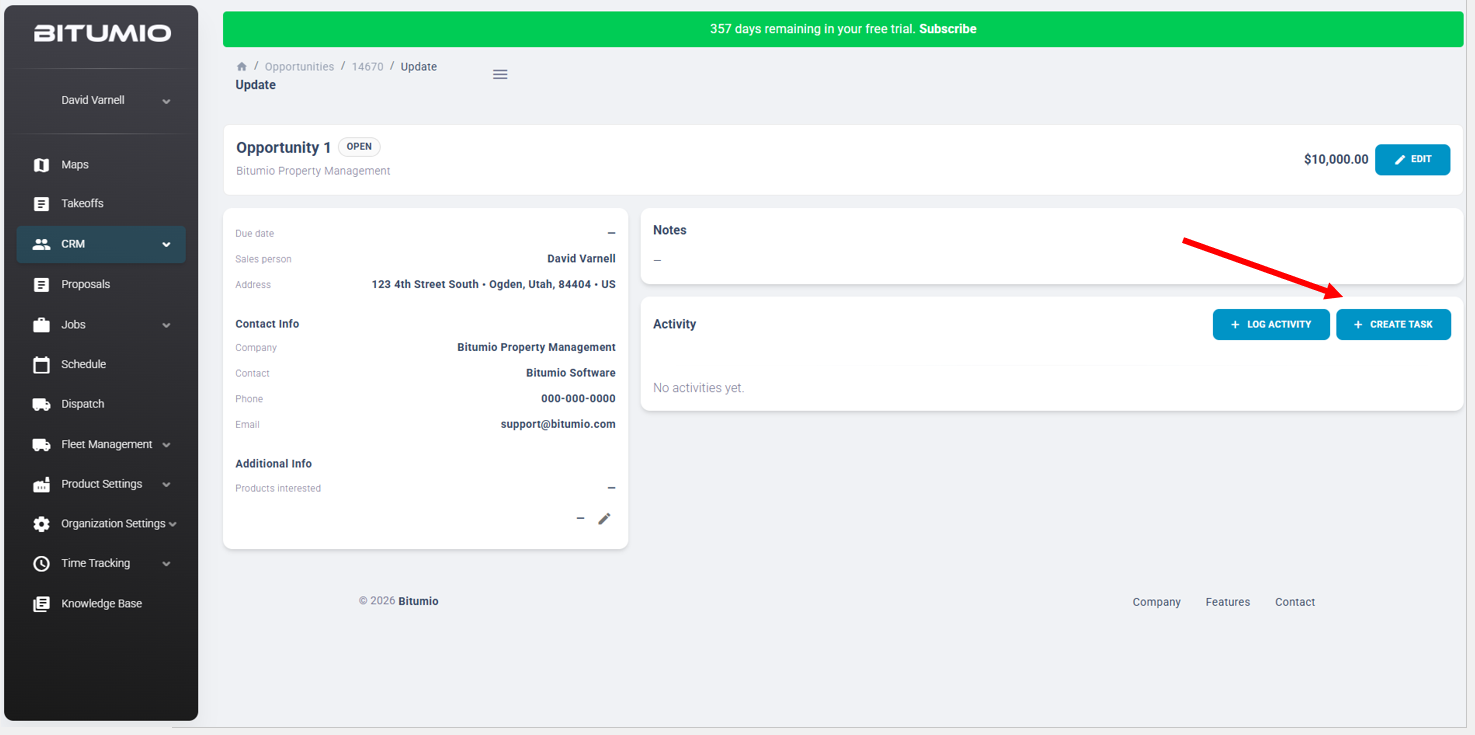
3. Click the  button to open the Create Task screen.
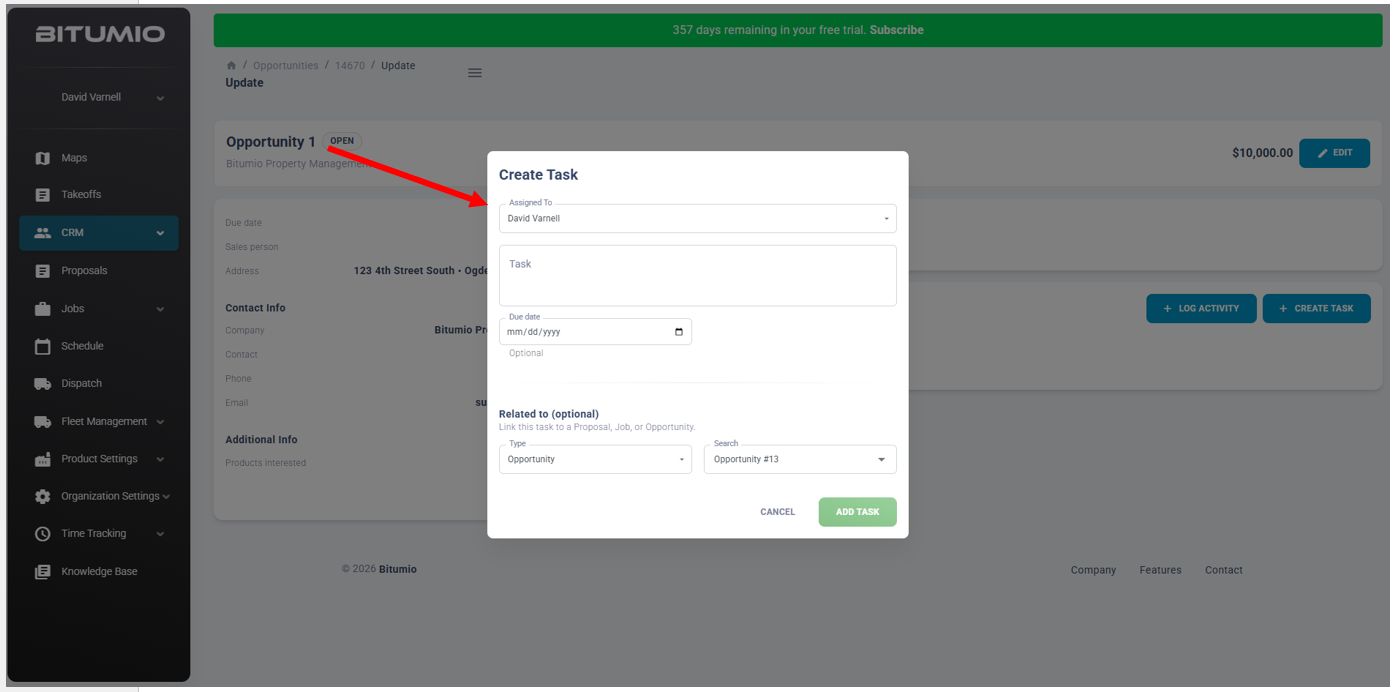
4. From the Assigned To drop-down, select the person to assign this task.
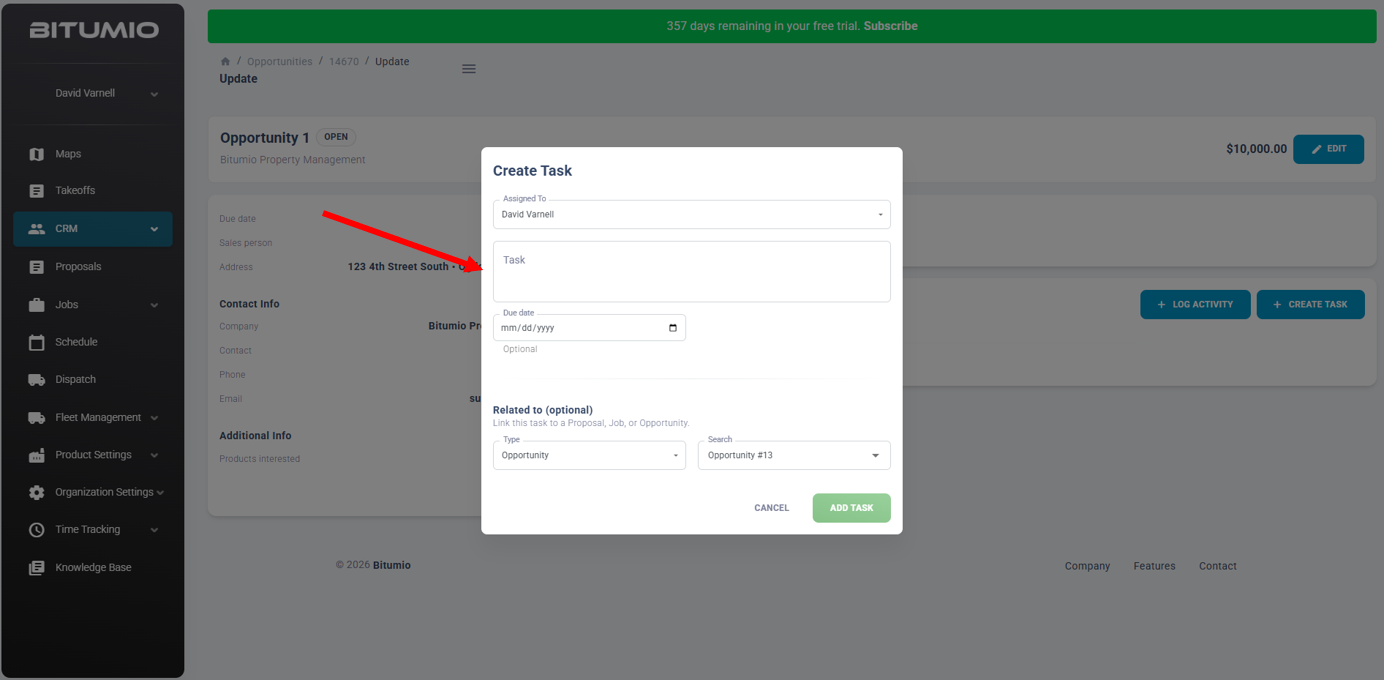
5. In the Task text field, enter the details of this task.
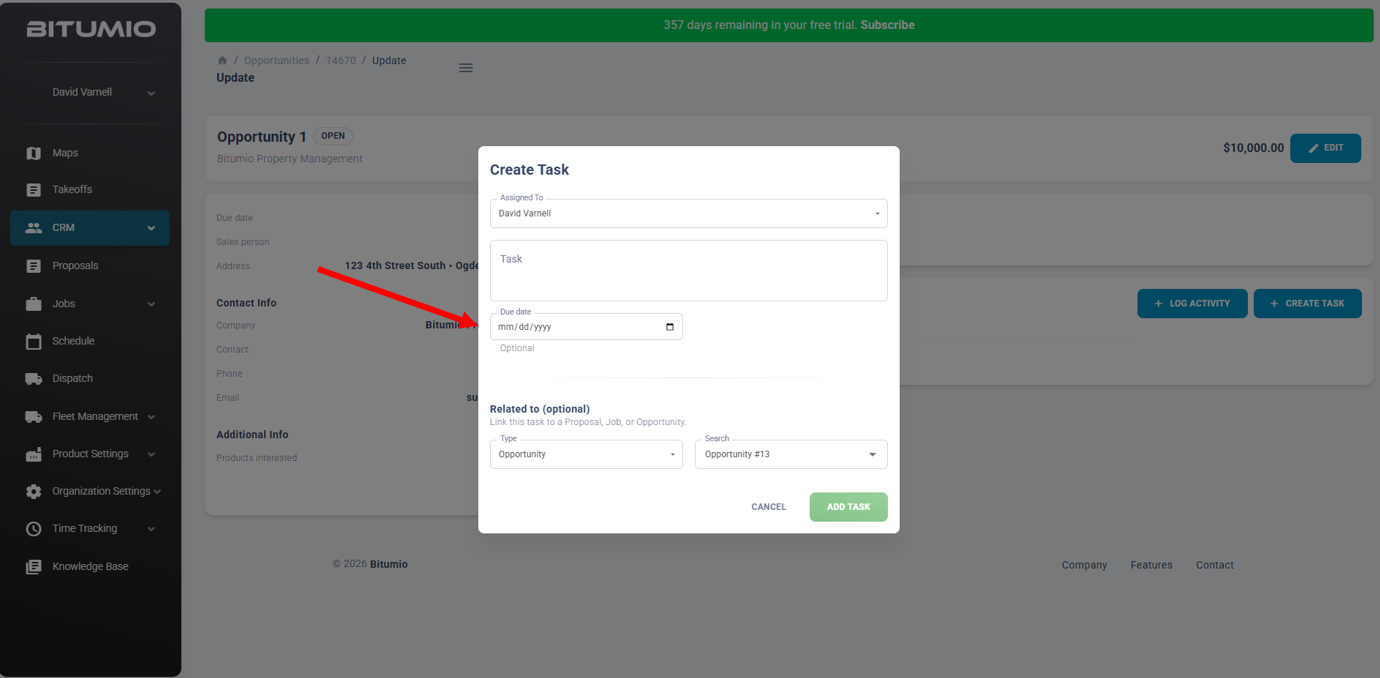
6. Enter a due date in the Due Date field or select a date from the calendar icon.
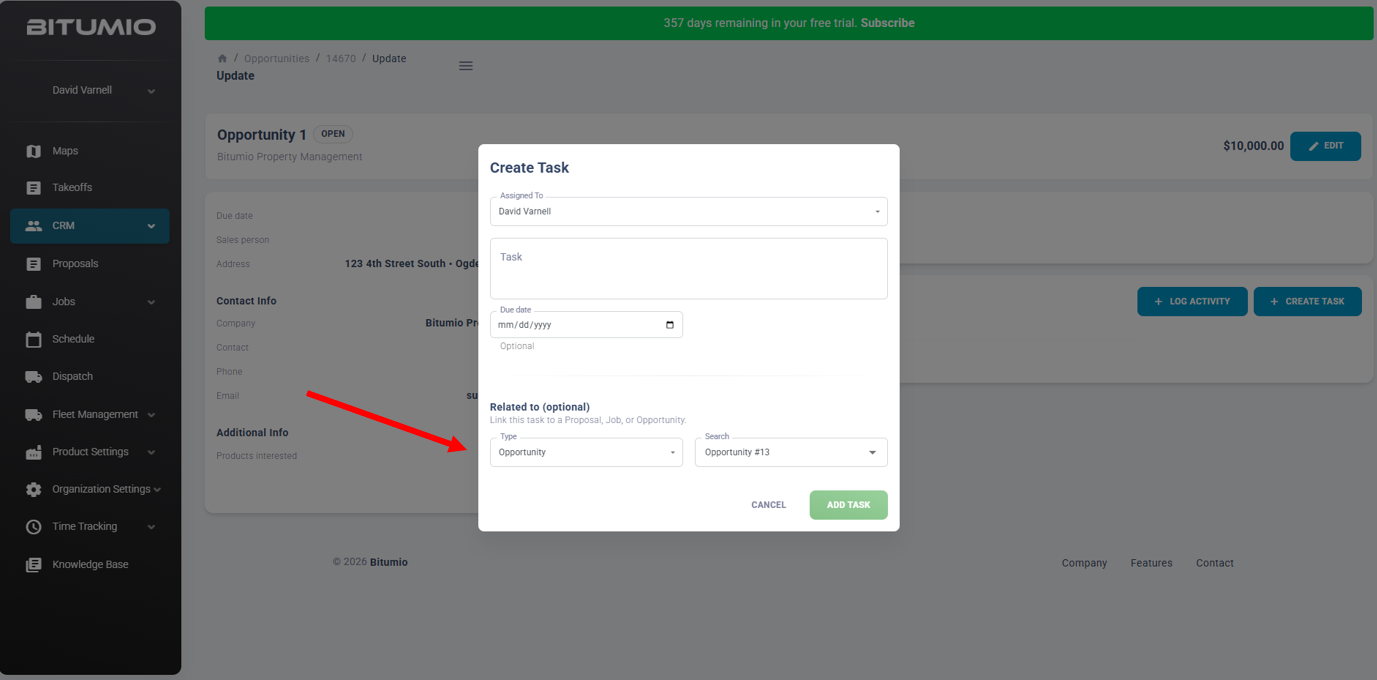
7. Link this task to a proposal, job or opportunity by selecting an option from the Type drop-down in the Related to section. Use the search box to find the specific record to associate with the task.
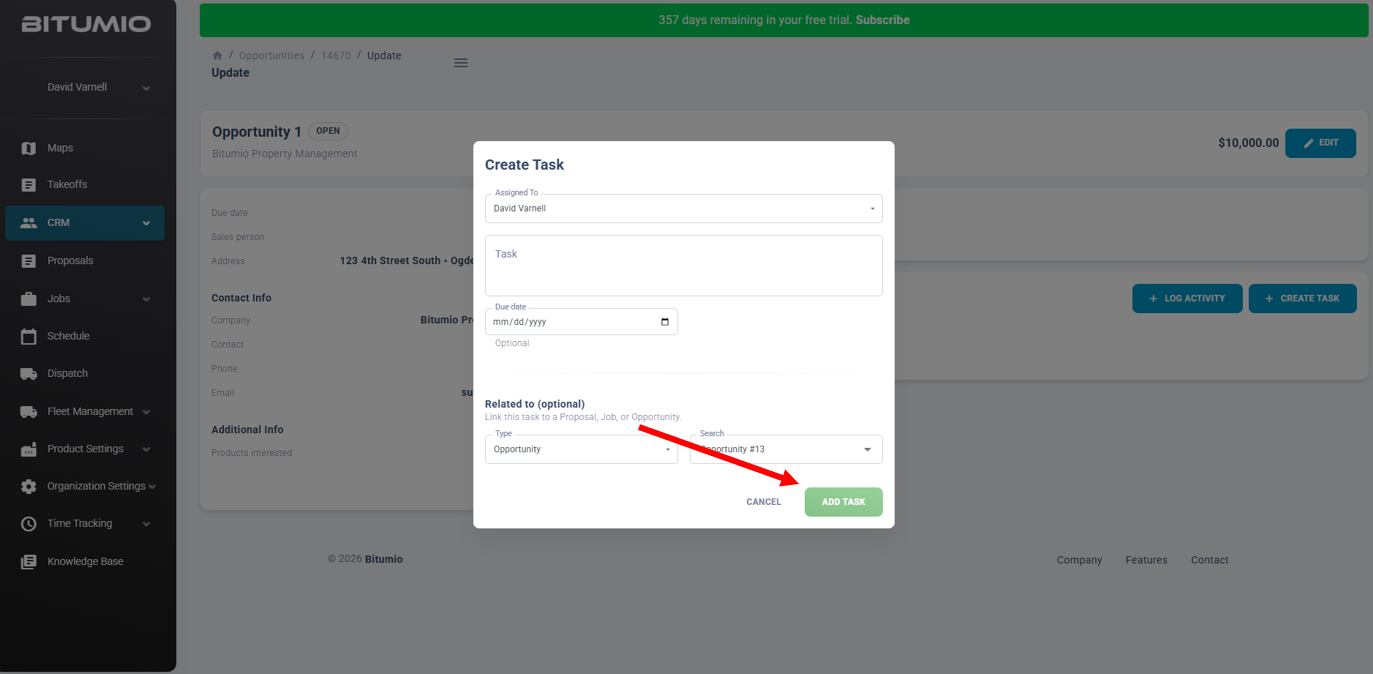
8. Click the Add Task button to save this task. This newly created task will appear in the Tasks section under the CRM menu.
Was this article helpful?
That’s Great!
Thank you for your feedback
Sorry! We couldn't be helpful
Thank you for your feedback
Feedback sent
We appreciate your effort and will try to fix the article