Previously, to send the same proposal to multiple contacts, you would need to duplicate and send repeatedly. Now, our new Multiple Company sending feature allows you to do it all within one simple modal, keeping your tracking data and sales numbers in line with expectations.
View this Guide on our YouTube page:

For this Guide, we'll assume you have completed a proposal and it's ready to send.
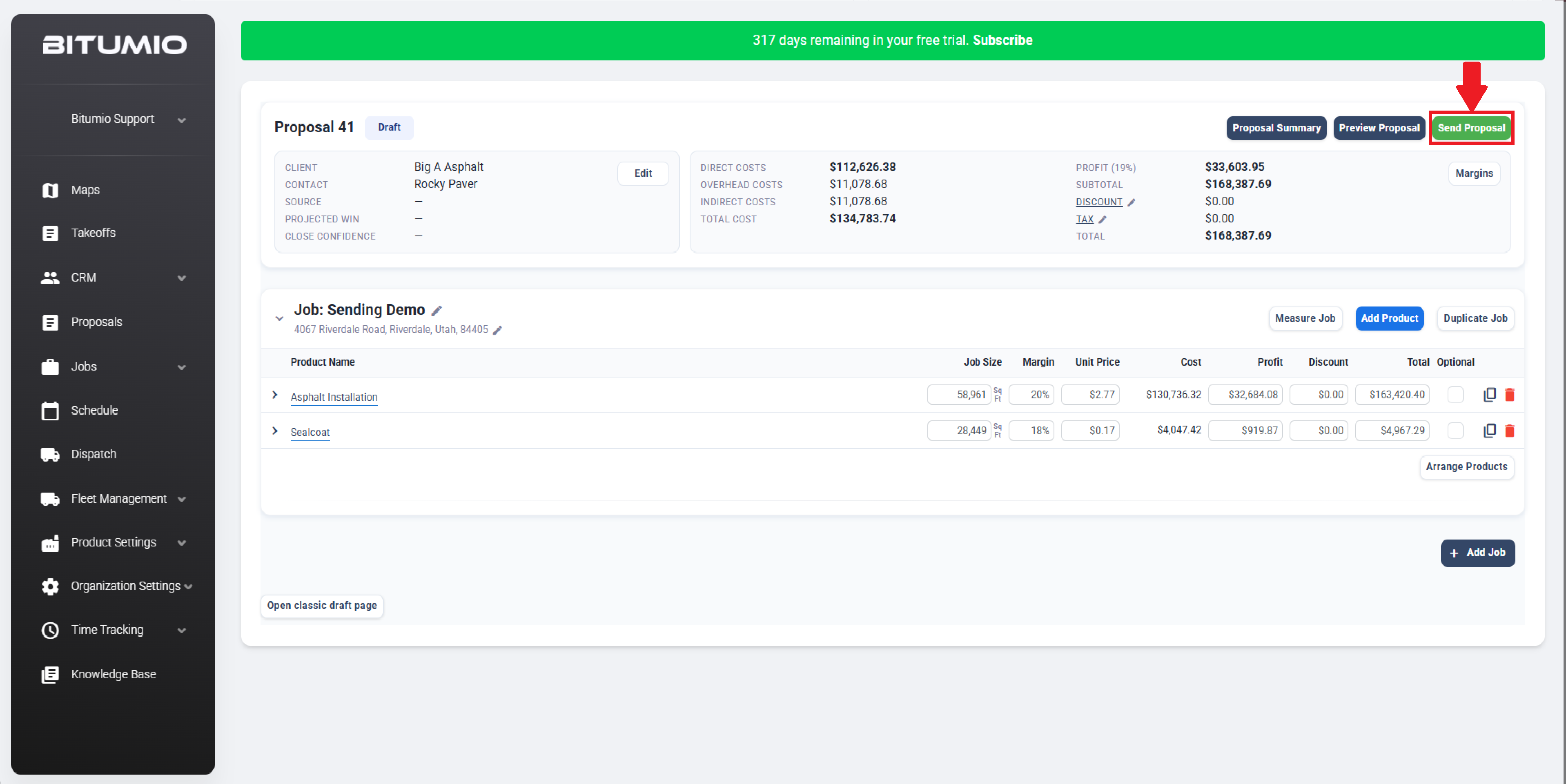
Step 1: Beginning with a completed proposal, click Send Proposal
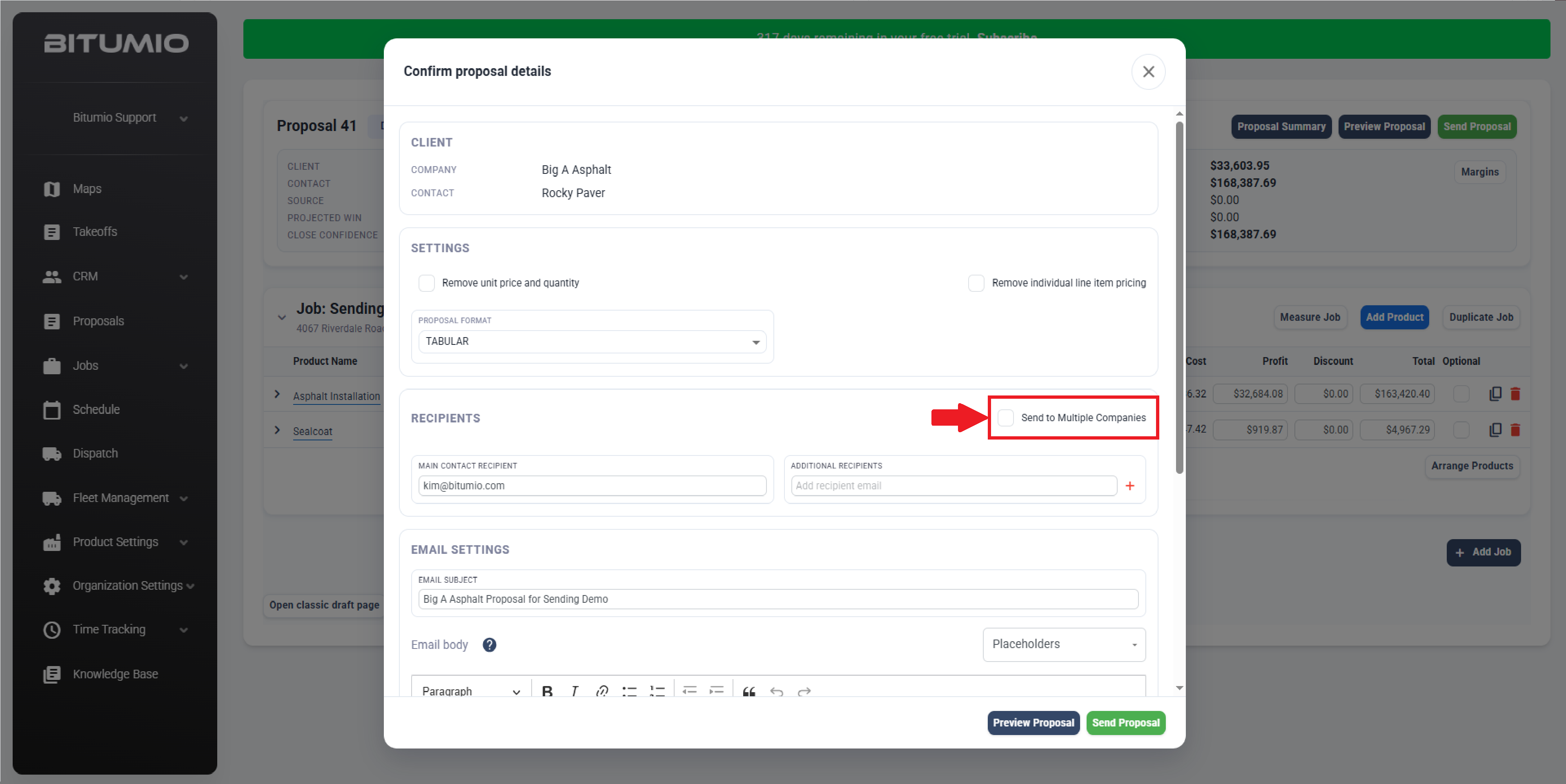
Step 2: Now within the Confirm Proposal Details Modal, tick the box for "Send to Multiple Companies".
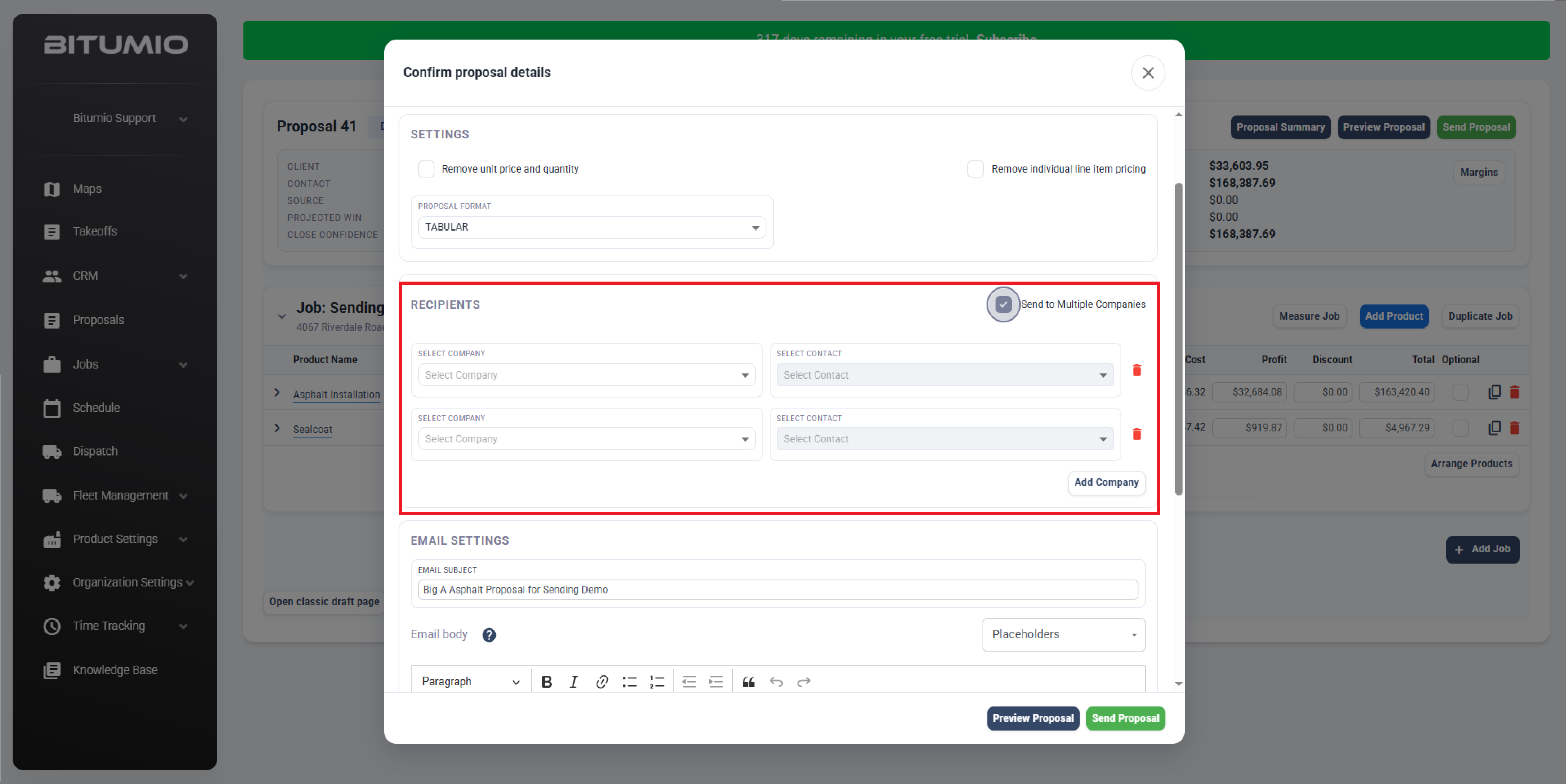
Step 3: Select all Recipients for this Proposal INCLUDING the original client in the drop-down lists. Click Add Company to include more recipients (up to 50).
Step 4: Once you've included all intended recipients and all other settings are how you'd like them, click 'Send Proposal.'
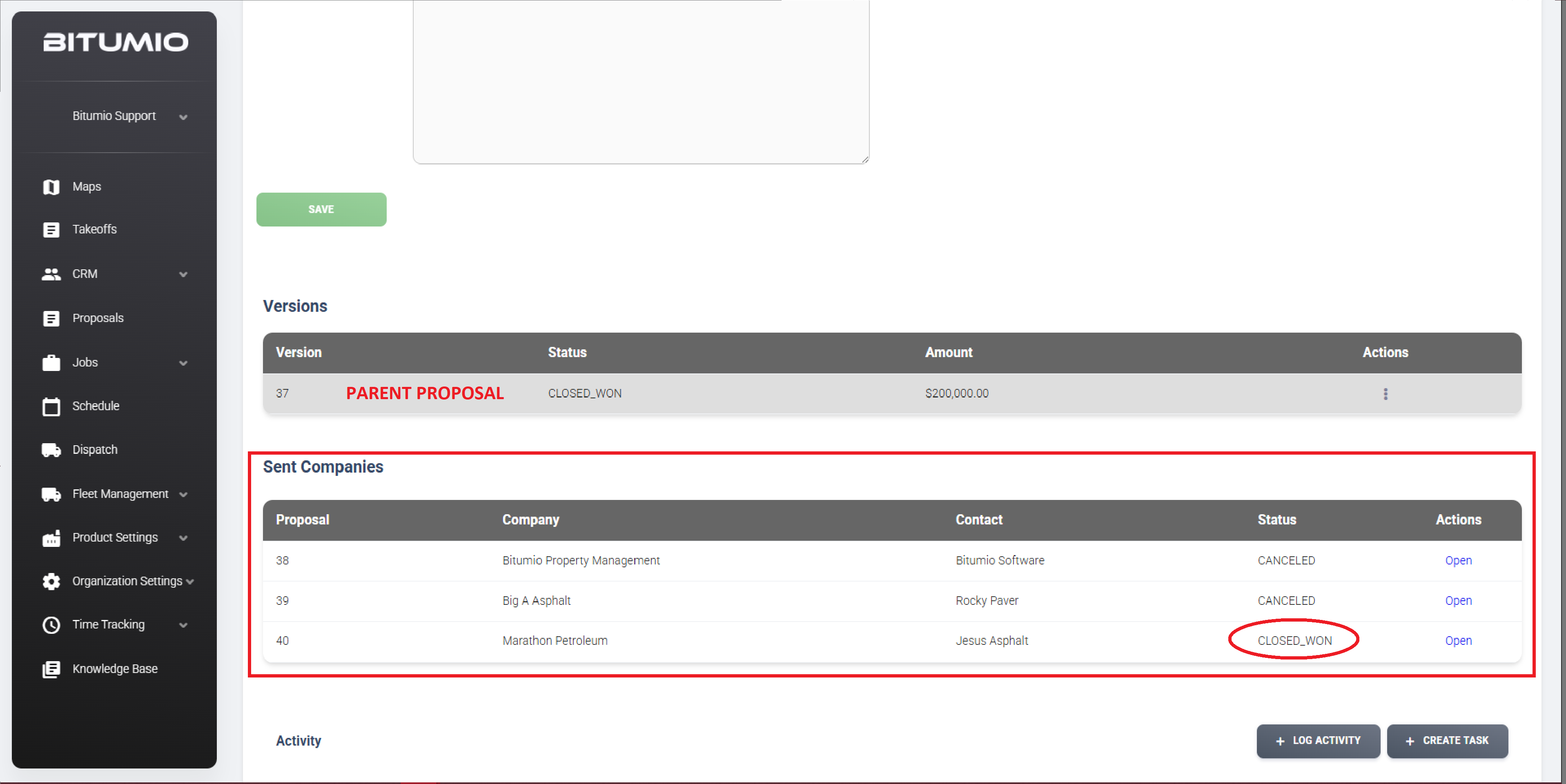
- You can view a list of the Sent Proposal within the original proposal (Referred to as a 'Parent' proposal). This is the proposal number you will see in your Proposal list.
- Each sent proposal under this 'Parent' will have its own Proposal number (referred to as a 'Child') under that parent proposal.
- This allows Bitumio to see it as one proposal with one total, and thus will not inflate the metrics in your dashboard.
- Once one of the Proposals is Won, all other Proposals under that 'Parent' will be cancelled.
Was this article helpful?
That’s Great!
Thank you for your feedback
Sorry! We couldn't be helpful
Thank you for your feedback
Feedback sent
We appreciate your effort and will try to fix the article