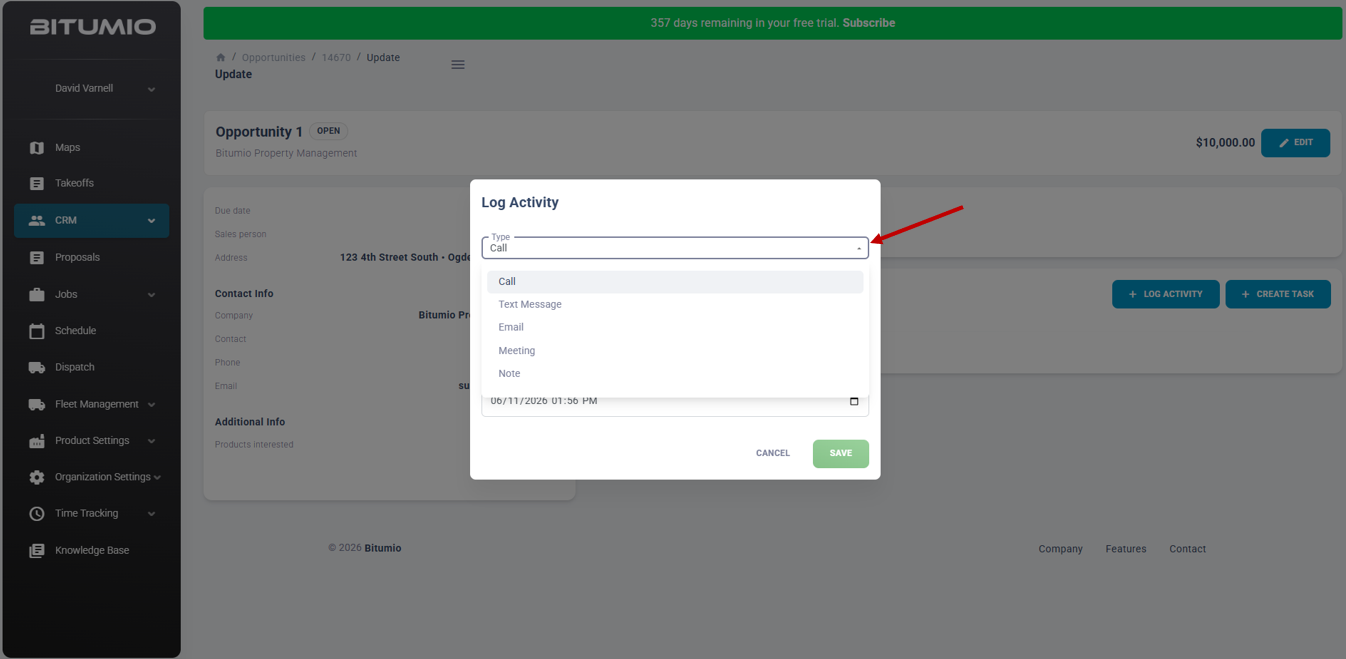
An activity within an opportunity tracks contact with a client. Included activities are calls, text messages, emails, meetings and notes. Each activity includes a brief summary and additional details can be included. Finally, the date and time the activity occurred is recorded to track individual activities.
Bitumio > Left Navigation Bar > CRM > Opportunities1. Follow the above-mentioned workflow to land on the Opportunities screen.
2. Click an opportunity ID or name. This opens the update opportunity screen.
3. Click the button to open the Log Activity screen.
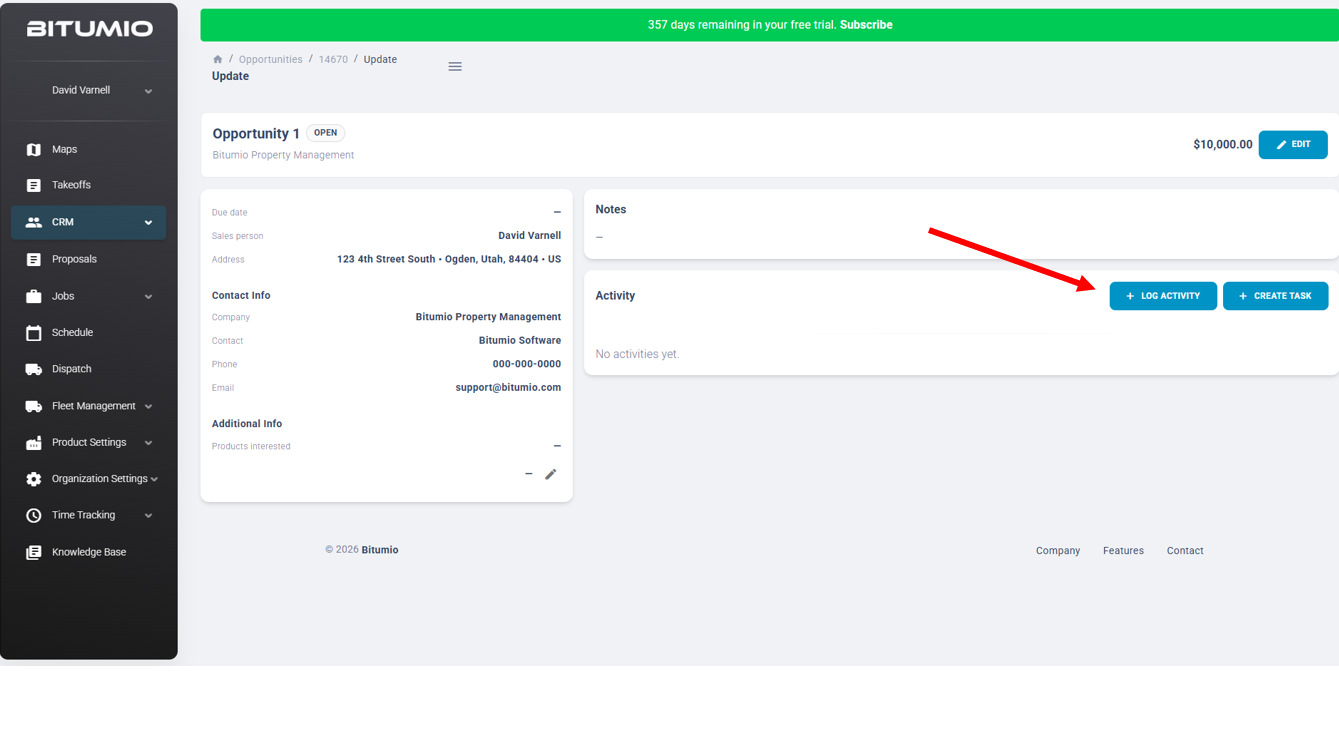 4. From the Type drop-down, select the type of contact this activity is associated.
5. Enter in a summary for this contact type in the Summary text area.
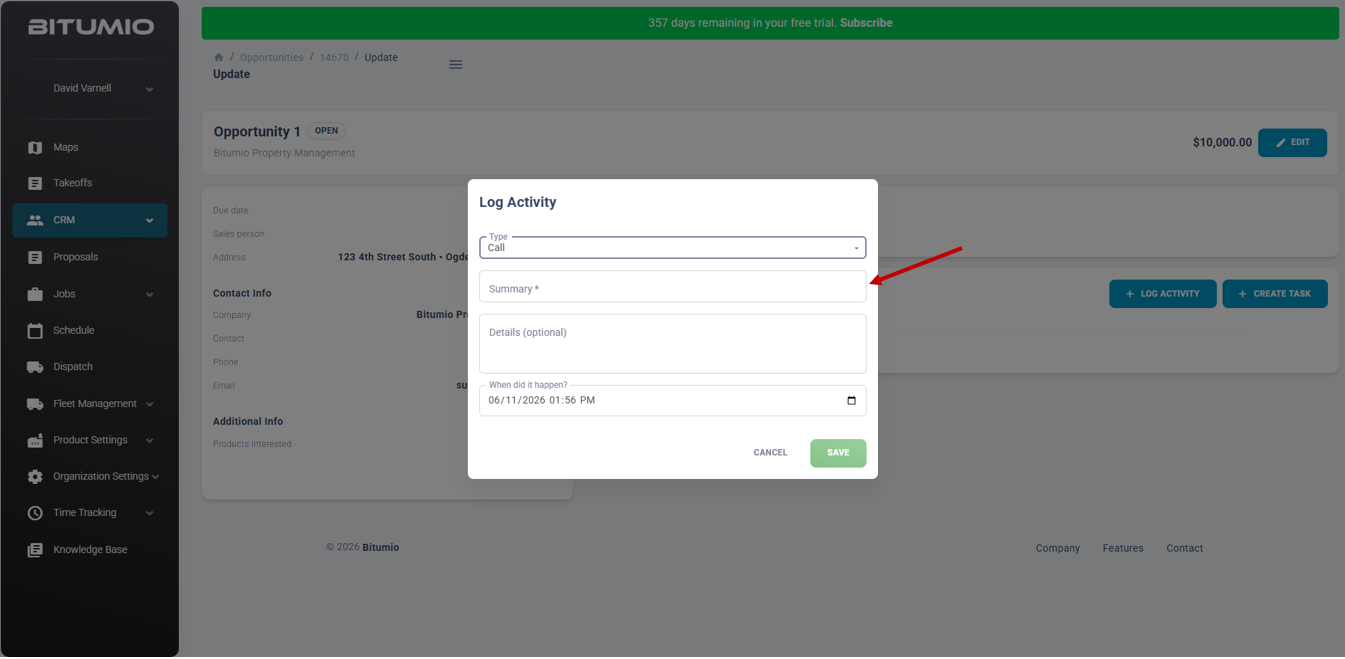
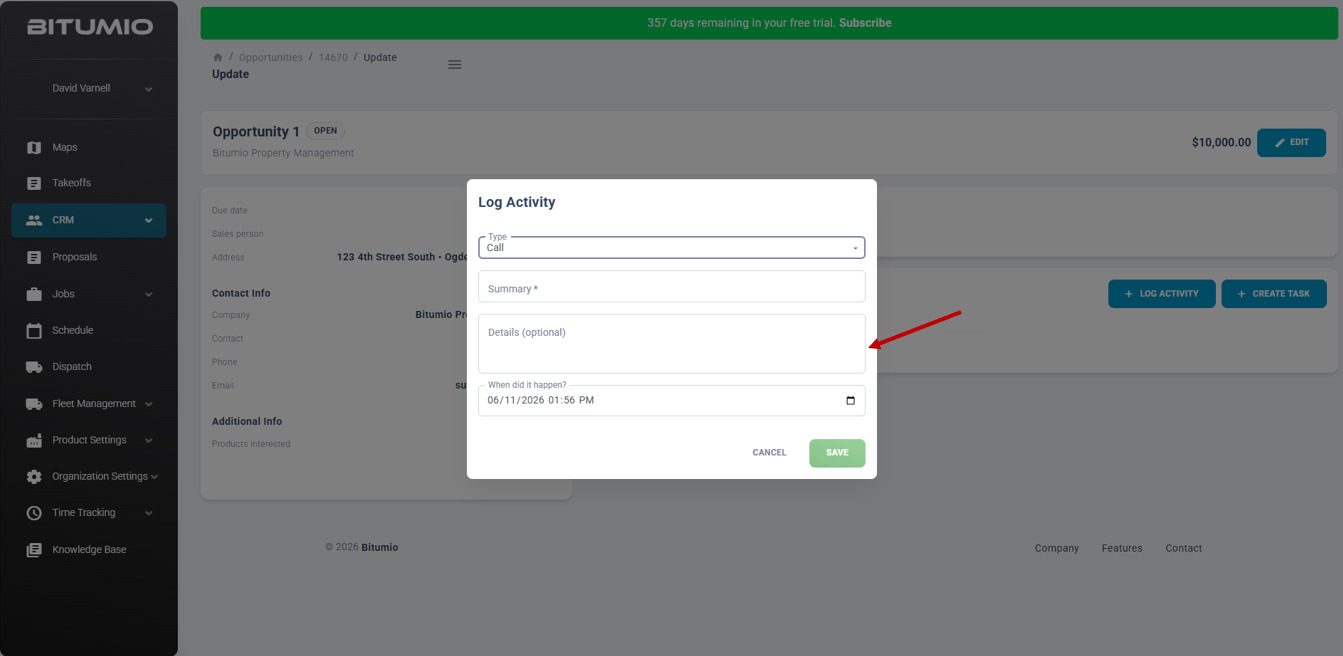
6. Enter any additional details about this contact.
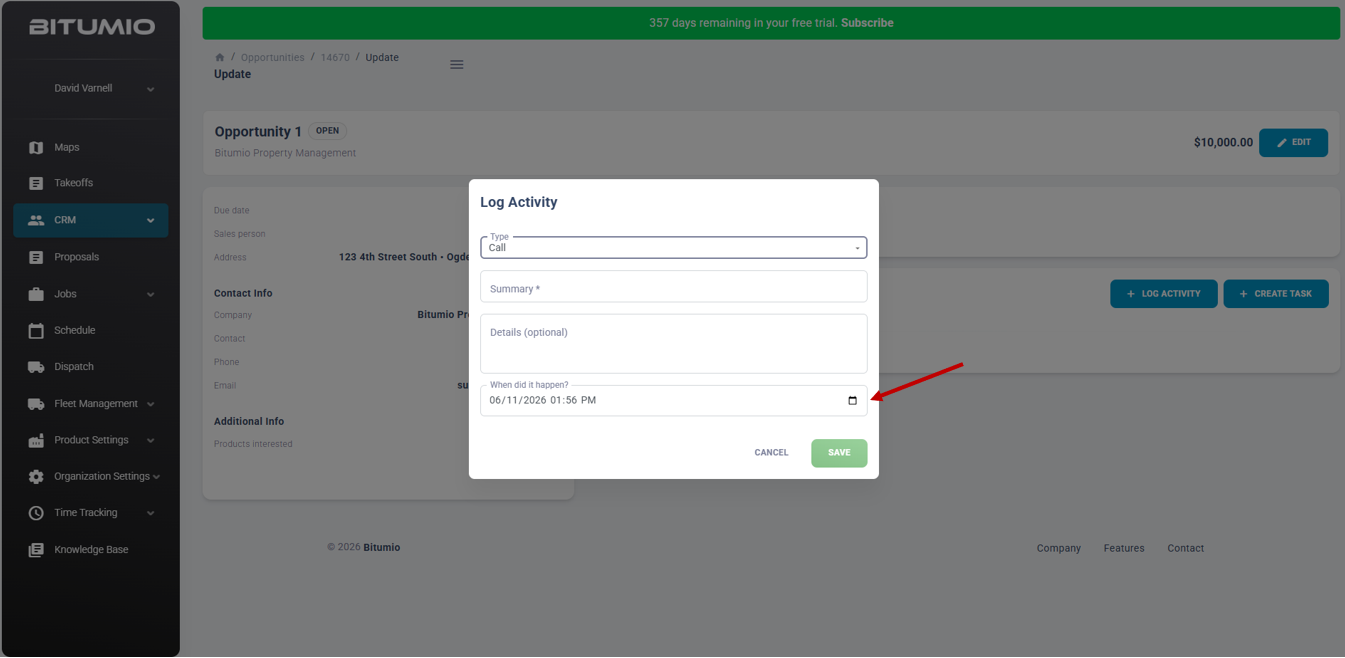
7. Enter a date in the When did it happen? field or select a date from the calendar icon.
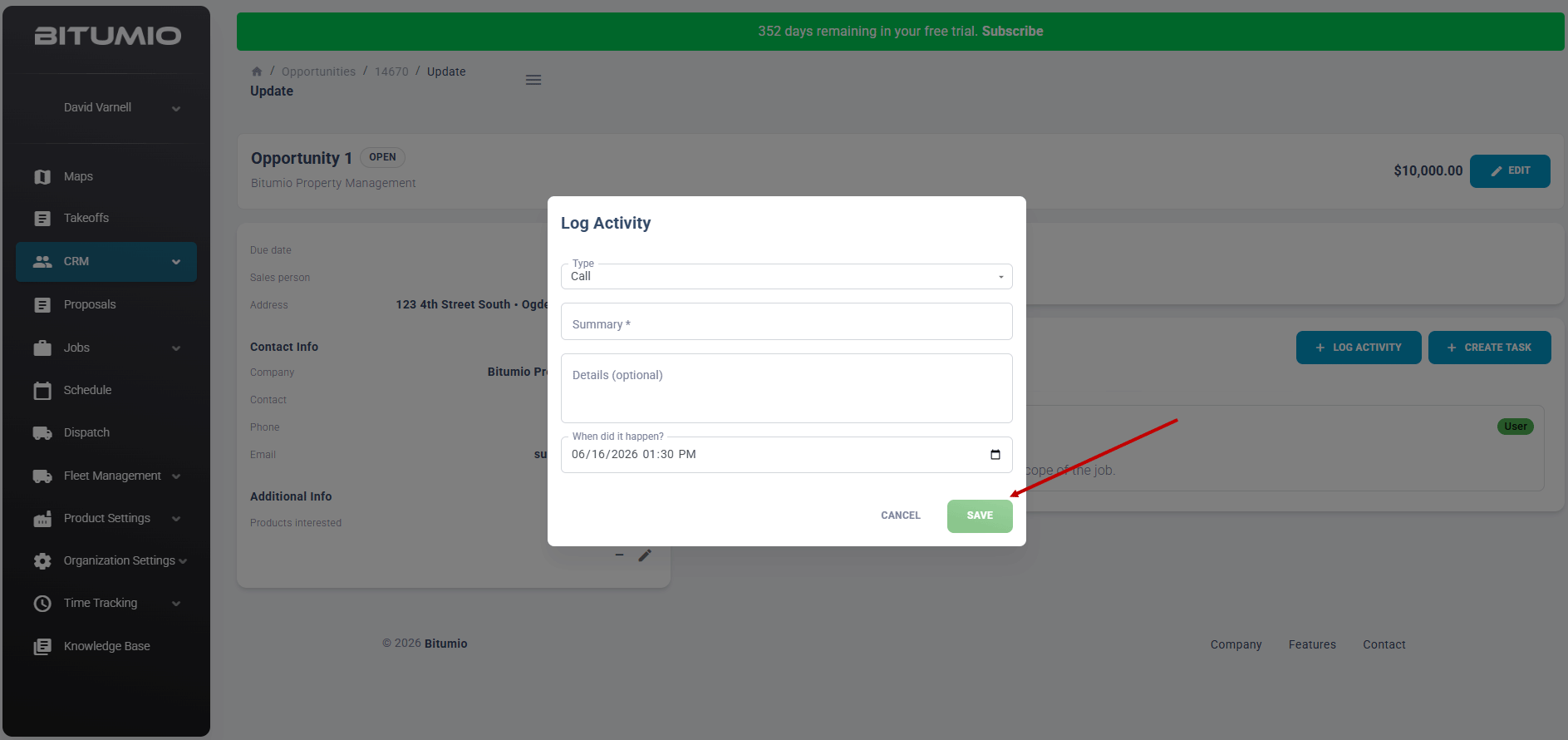
8. Click the  button to make changes to this activity.
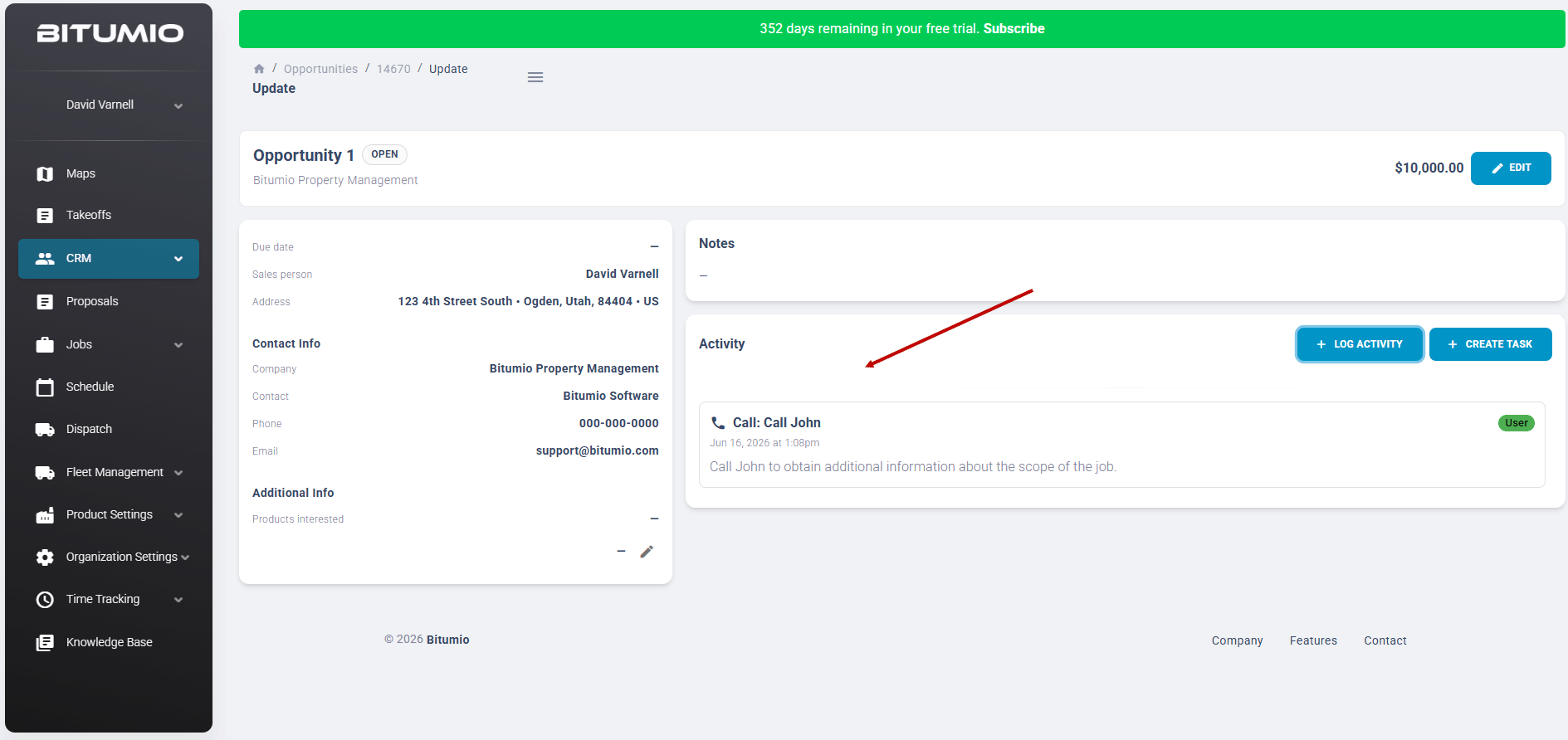
9. The activity will be displayed with any other activites that were created.
Was this article helpful?
That’s Great!
Thank you for your feedback
Sorry! We couldn't be helpful
Thank you for your feedback
Feedback sent
We appreciate your effort and will try to fix the article