How to Access and Download Reports in Bitumio
The Reporting feature in Bitumio allows you to generate comprehensive reports to gain insights into your business operations. Here's how to navigate and download the reports available to you.
Getting to the Reports Page
- Log in to your Bitumio account.
- On the left-hand navigation menu, click on Reporting under Organization Settings.
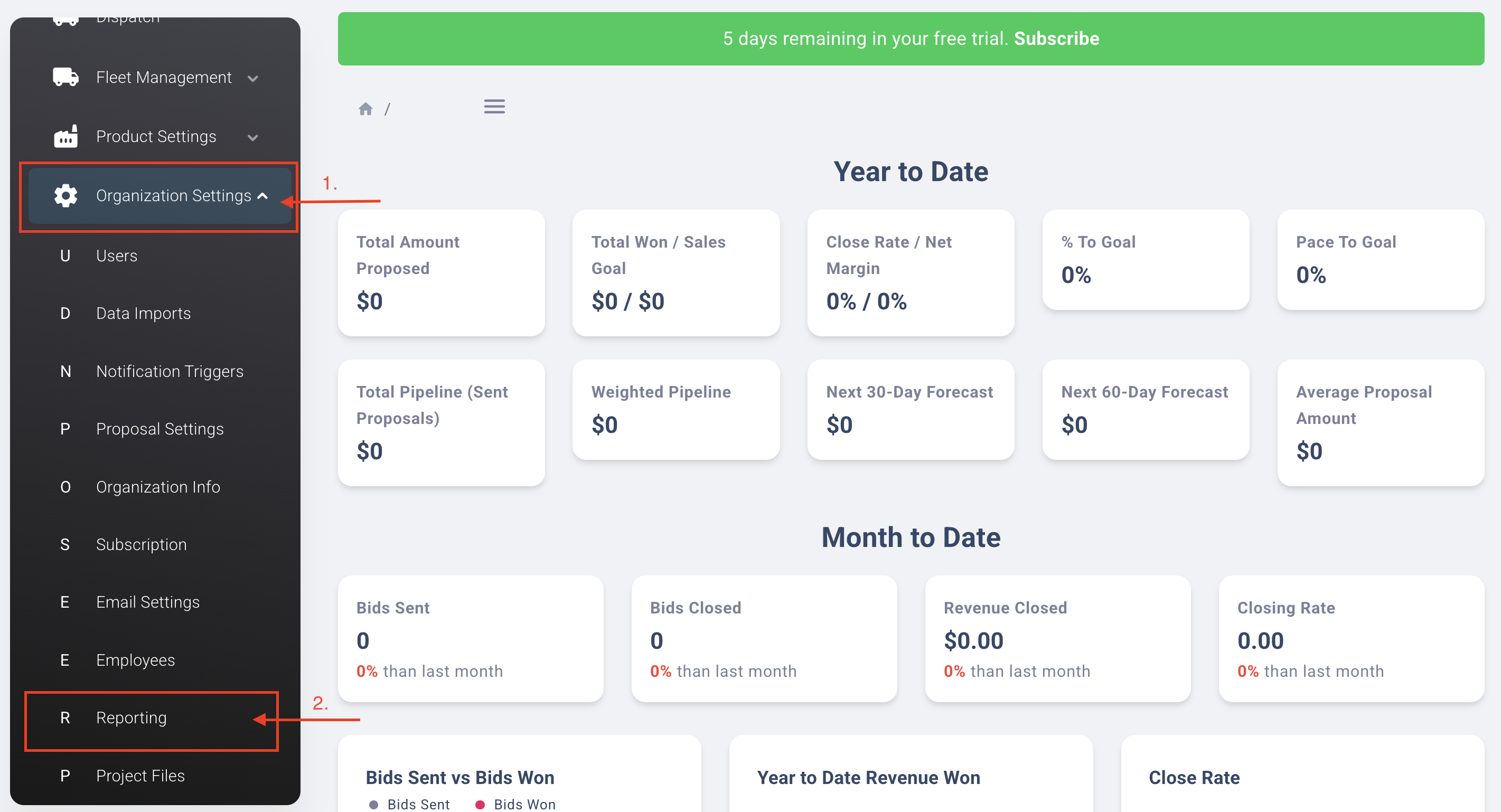
3. You will be directed to the Reports page where all available reports are listed.
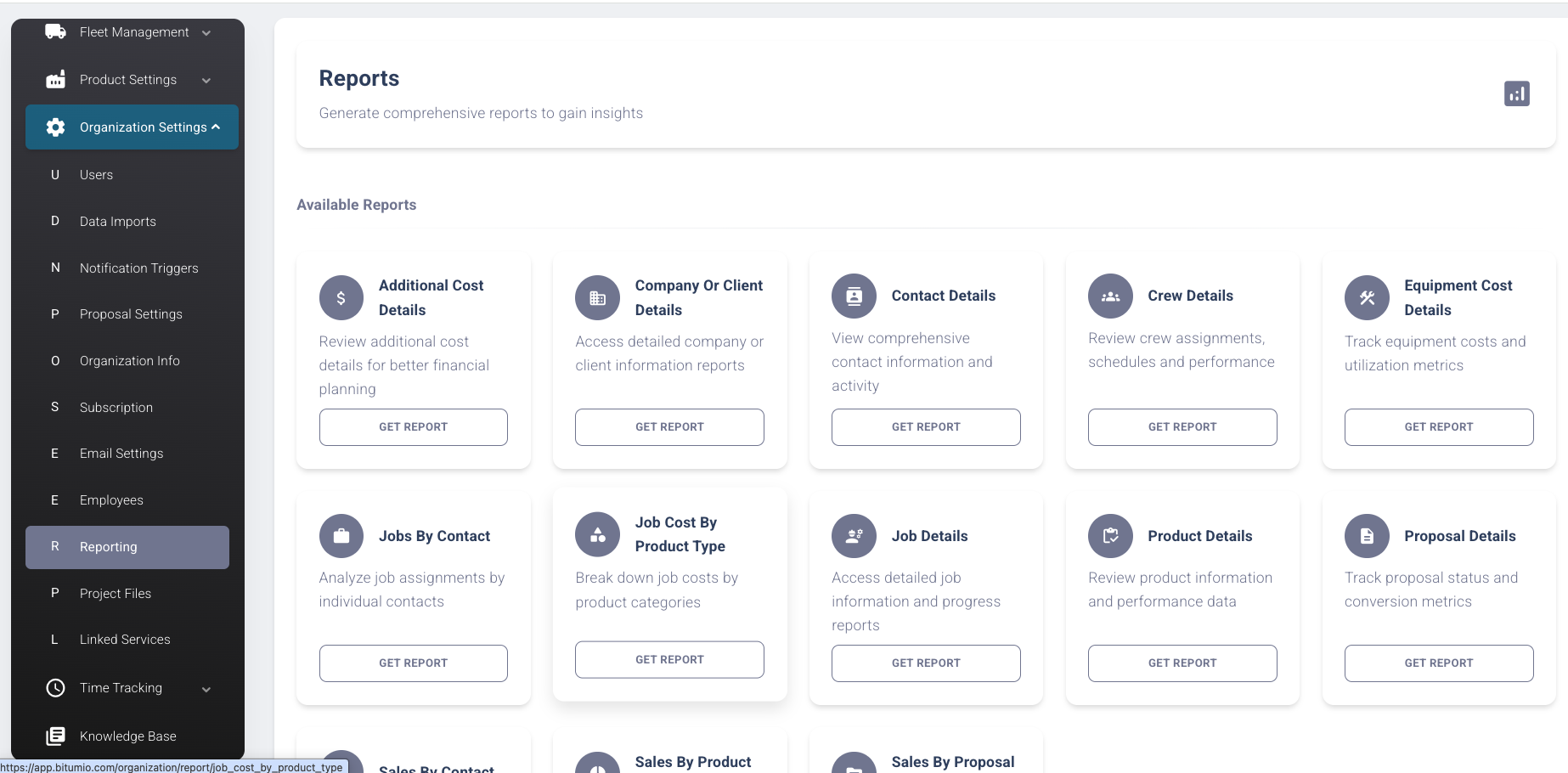
3. On the Reports page, browse through the available reports.
4. Find the report you need and click the Get Report button underneath it.
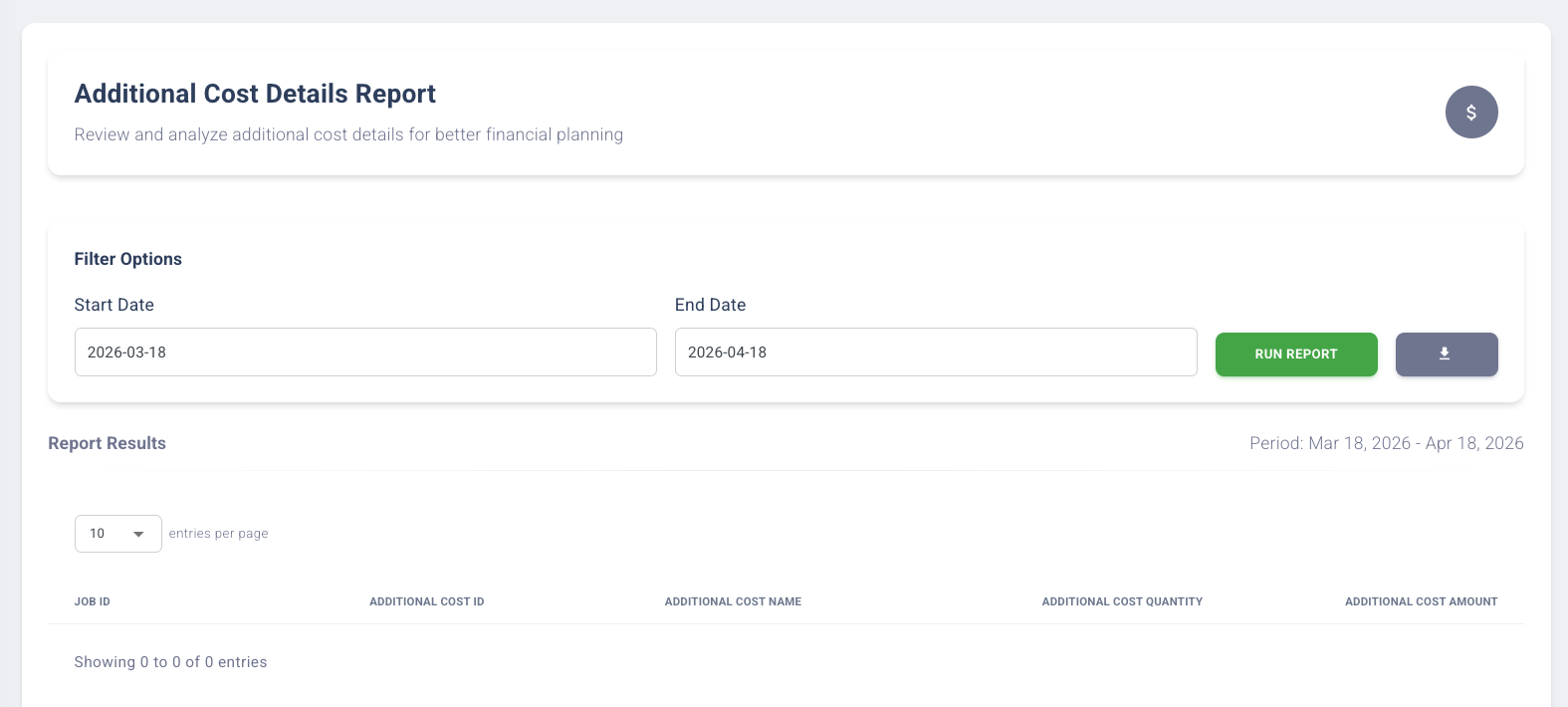
5. You may set in the Filter Options the Start date & End date of the report you'd like to download.
_____________________________________________________________________________________
Available Reports
Bitumio offers a variety of reports to help you monitor different aspects of your business:
- Additional Cost Details — Review additional cost details for better financial planning.
- Company or Client Details — Access detailed company or client information reports.
- Contact Details — View comprehensive contact information and activity.
- Crew Details — Review crew assignments, schedules, and performance.
- Equipment Cost Details — Track equipment costs and utilization metrics.
- Jobs by Contact — Analyze job assignments by individual contacts.
- Job Cost by Product Type — Break down job costs by product categories.
- Job Details — Access detailed job information and progress reports.
- Product Details — Review product information and performance data.
- Proposal Details — Track proposal status and conversion metrics.
- Sales by Contact — View sales data broken down by contact.
- Sales by Product — Analyze sales performance by product.
- Sales by Proposal — Monitor sales activity tied to specific proposals.
Was this article helpful?
That’s Great!
Thank you for your feedback
Sorry! We couldn't be helpful
Thank you for your feedback
Feedback sent
We appreciate your effort and will try to fix the article