Transfer trucks include all types of trucks you are using to haul material to and from a Job.
TABLE OF CONTENTS
View our Transfer Trucks video on YouTube

Other helpful videos associated with Transfer Trucks:
- Inputting Costs (beginning at 5:40)
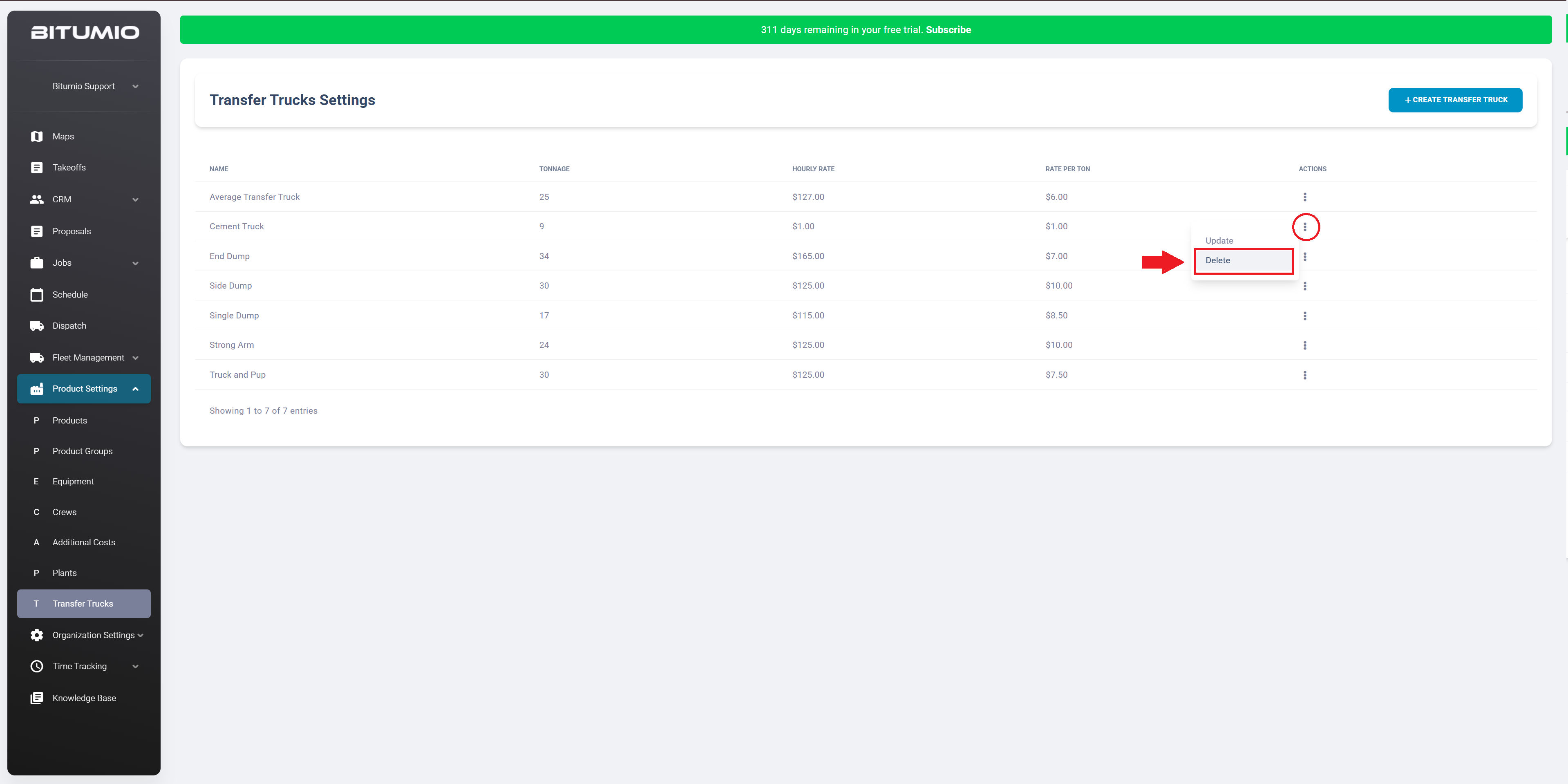
Bitumio > Left Navigation Bar > Product Settings > Transfer TrucksWithin the Transfer Trucks settings screen, each Transfer Truck is listed and tabulated via various columns including Name, Tonnage, Hourly Rate, and Rate Per Ton.

Creating a Transfer Truck
Step 1: Click  to open the Create Transfer Truck screen.

Step 2: Here, name the Transfer Truck you are adding using the Name field.

Step 3: In the Hauling Capacity in Tons field, enter how much the Transfer Truck can haul in a single trip. Some examples being,
- Standard Dump Truck: 17 Tons
- Side/End Dump: 24 Tons
- Strong Arm: 24 Tons
- Transfer: 35 Tons
- Truck and Pup: 20 Tons

Step 4: In the Default Hourly Rate field, enter your standard hourly billing rate or the hourly rate charged by your lessor.

Step 5: Enter the rate per ton that is charged by the transfer truck using the Default Rate Per Ton field. If you don't use rate per ton, you may leave this field blank.
- By default, proposals use hourly trucking time. To switch and calculate trucking by weight instead, simply turn on the slider inside the proposal's trucking modal.

Step 6: Once the required information is filled in, click the  button.
Updating a Transfer Truck
Step 1: Clicking a transfer truck name takes you to the Update Transfer Truck screen where you can edit the details for that truck. Alternatively, click the  icon under the Actions column and choose 'Update.'

Step 2: Once the required details are edited, click the  button.

Deleting a Transfer Truck
Step 1: For a truck you want to remove, click the  icon located under the Actions column. From the options revealed, choose 'Delete.'
Step 2: This opens a confirmation popup. Click  to confirm.

Was this article helpful?
That’s Great!
Thank you for your feedback
Sorry! We couldn't be helpful
Thank you for your feedback
Feedback sent
We appreciate your effort and will try to fix the article